https://www.opengl-tutorial.org/beginners-tutorials/tutorial-1-opening-a-window/
Tutorial 1 : Opening a window
Introduction Welcome to the first tutorial ! Before jumping into OpenGL, you will first learn how to build the code that goes with each tutorial, how to run it, and most importantly, how to play with the code yourself. Prerequisites No special prerequisite
www.opengl-tutorial.org
* 예제 코드
// Include standard headers
#include <stdio.h>
#include <stdlib.h>

// Include GLEW
#include <GL/glew.h>

// Include GLFW : 창과 키보드를 처리
#include <GLFW/glfw3.h>
GLFWwindow* window;

// Include GLM : 3D 수학을 위한 라이브러리
#include <glm/glm.hpp>
using namespace glm; // glm::vec3말고, vec3을 입력할 수 있도록

int main( void )
{
	// Initialize GLFW (초기화)
    glewExperimental = true;
	if( !glfwInit() )
	{
		fprintf( stderr, "Failed to initialize GLFW\n" );
		getchar();
		return -1;
	}

	glfwWindowHint(GLFW_SAMPLES, 4); // 4x antialiasing
	glfwWindowHint(GLFW_CONTEXT_VERSION_MAJOR, 3); // We want OpenGL 3.3
	glfwWindowHint(GLFW_CONTEXT_VERSION_MINOR, 3);
	glfwWindowHint(GLFW_OPENGL_FORWARD_COMPAT, GL_TRUE); // To make macOS happy; should not be needed
	glfwWindowHint(GLFW_OPENGL_PROFILE, GLFW_OPENGL_CORE_PROFILE);

	// Open a window and create its OpenGL context
    GLFWwindow* window; // (In the accompanying source code, this variable is global for simplicity)
	window = glfwCreateWindow( 1024, 768, "Tutorial 01", NULL, NULL);
	if( window == NULL ){
		fprintf( stderr, "Failed to open GLFW window. If you have an Intel GPU, they are not 3.3 compatible. Try the 2.1 version of the tutorials.\n" );
		getchar();
		glfwTerminate();
		return -1;
	}
	glfwMakeContextCurrent(window); // Initialize GLEW

	// Initialize GLEW
    glewExperimental=true; // Needed in core profile
	if (glewInit() != GLEW_OK) {
		fprintf(stderr, "Failed to initialize GLEW\n");
		getchar();
		glfwTerminate();
		return -1;
	}

	// Ensure we can capture the escape key being pressed below
	glfwSetInputMode(window, GLFW_STICKY_KEYS, GL_TRUE);

	// Dark blue background
	glClearColor(0.0f, 0.0f, 0.4f, 0.0f);

	do{
		// Clear the screen. It's not mentioned before Tutorial 02, but it can cause flickering, so it's there nonetheless.
		glClear( GL_COLOR_BUFFER_BIT );

		// Draw nothing, see you in tutorial 2 !


		// Swap buffers
		glfwSwapBuffers(window);
		glfwPollEvents();

	} // Check if the ESC key was pressed or the window was closed
	while( glfwGetKey(window, GLFW_KEY_ESCAPE ) != GLFW_PRESS &&
		   glfwWindowShouldClose(window) == 0 );

	// Close OpenGL window and terminate GLFW
	glfwTerminate();

	return 0;
}
* 코드 설명
- 콘솔에 메시지를 표시하기 위해 필요
#include <stdio.h>
#include <stdlib.h>
- GLFW가 창과 키보드를 처리
#include <GL/glew.h>
#include <GLFW/glfw3.h>
- 3D 수학을 위한 라이브러리
- glm::vec3대신, vec3을 입력하기 위한 glm 네임스페이스
#include <glm/glm.hpp>
using namespace glm;
- GLFW 초기화
glewExperimental = true; // Needed for core profile
if( !glfwInit() )
{
    fprintf( stderr, "Failed to initialize GLFW\n" );
    return -1;
}
- OpenGL 창 만들기 (윈도우 해상도 : 1024x768 , 윈도우 제목 : "Tutorial 01")
// 윈도우 힌트 설정
glfwWindowHint(GLFW_SAMPLES, 4); // 4배 안티앨리어싱 설정
glfwWindowHint(GLFW_CONTEXT_VERSION_MAJOR, 3); // OpenGL 3.3 버전 사용
glfwWindowHint(GLFW_CONTEXT_VERSION_MINOR, 3);
glfwWindowHint(GLFW_OPENGL_FORWARD_COMPAT, GL_TRUE); // MacOS 호환성을 위한 설정 (필수 x)
glfwWindowHint(GLFW_OPENGL_PROFILE, GLFW_OPENGL_CORE_PROFILE); // 최신 OpenGL 사용

// 윈도우 생성, OpenGL 컨텍스트 설정
GLFWwindow* window; // (In the accompanying source code, this variable is global for simplicity)
window = glfwCreateWindow( 1024, 768, "Tutorial 01", NULL, NULL); // 윈도우 생성
if( window == NULL ){
    fprintf( stderr, "Failed to open GLFW window. If you have an Intel GPU, they are not 3.3 compatible. Try the 2.1 version of the tutorials.\n" );
    glfwTerminate();
    return -1;
}
glfwMakeContextCurrent(window); // OpenGL 컨텍스트 설정
// GLEW 초기화
glewExperimental=true; // 코어 프로파일에서 필요
if (glewInit() != GLEW_OK) {
    fprintf(stderr, "Failed to initialize GLEW\n");
    return -1;
}
- 창이 나타나고, 바로 닫히게 하기 + Escape키 누를 때까지 기다리기
// 입력 모드 설정 (ESC 키 입력을 감지할 수 있도록)
glfwSetInputMode(window, GLFW_STICKY_KEYS, GL_TRUE); // sticky keys 모드를 활성화

do{
    // 화면 클리어 (화면 깜빡임 방지)
    glClear( GL_COLOR_BUFFER_BIT );

    // Draw nothing, see you in tutorial 2 !

    glfwSwapBuffers(window); // 버퍼 스왑 (프론트/ 백 버퍼 교체)
    glfwPollEvents(); // 이벤트 처리 (키보드, 마우스)

} // ESC 키가 눌리거나 윈도우가 닫힐 때까지 반복
while( glfwGetKey(window, GLFW_KEY_ESCAPE ) != GLFW_PRESS &&
       glfwWindowShouldClose(window) == 0 );
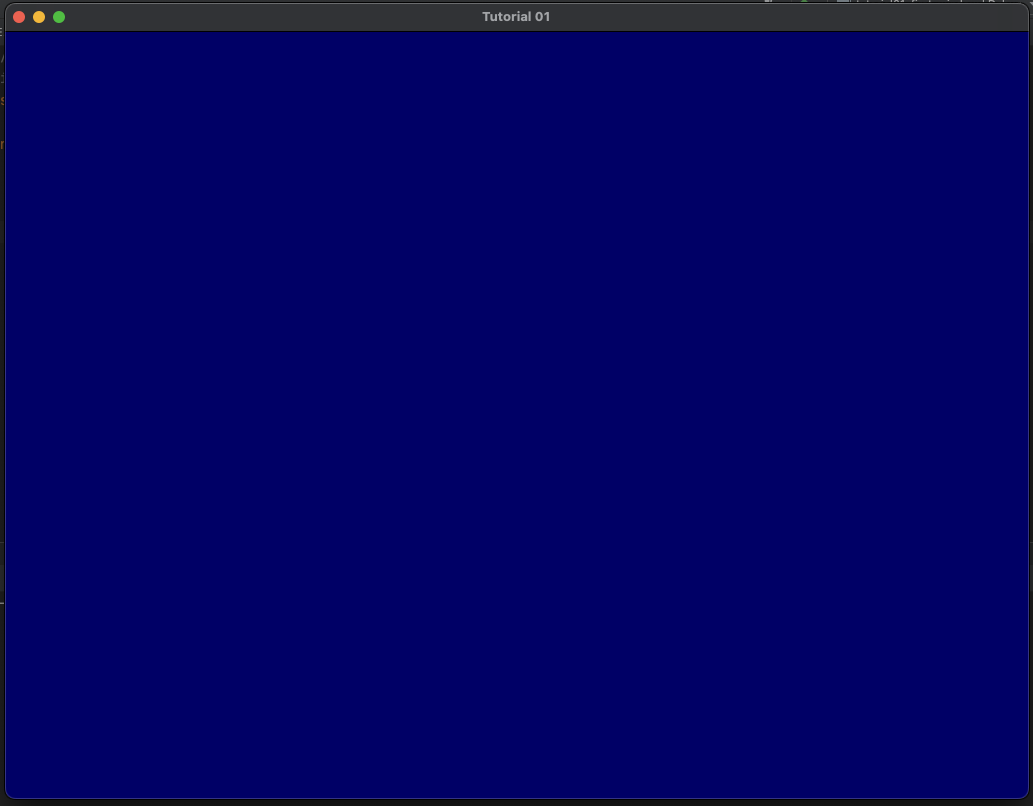
* 실행결과
'공부 > OpenGL' 카테고리의 다른 글
| [OpenGL Tutorial]5. 텍스쳐가 입혀진 큐브 (0) | 2024.11.11 |
|---|---|
| [OpenGL Tutorial]4. 컬러 큐브 (0) | 2024.11.08 |
| [OpenGL Tutorial]3. 첫 번째 삼각형 (행렬) (2) | 2024.11.07 |
| [OpenGL Tutorial]2. 첫 번째 삼각형 (2) | 2024.11.05 |
| OpenGL로 배우는 3차원 컴퓨터 그래픽스 - 목차 / 단원별 요약 (1) | 2024.11.02 |